Menschen bleiben abgestimmt
Gemeinsamer Kontext hält Teams auf Kurs.
Trivoh brings virtual meetings, interactive whiteboards, team collaboration, school workflows and intelligent calling together, helping schools, colleges, universities and education providers communicate and coordinate more effectively.

Branchenergebnisse
A school day creates hundreds of moments that depend on good communication: a lesson to begin, a parent to inform, a department to meet and an action to follow up. Trivoh brings them closer together instead of leaving them across separate systems and channels.
Gemeinsamer Kontext hält Teams auf Kurs.
Anrufe, Nachrichten und Meetings bleiben Teil einer Geschichte.
Gespräche werden zu verantworteten Aktionen und sichtbaren Ergebnissen.
Ein vernetztes Trivoh
Erfahren Sie, wie Workspace, CRM, Callershub, Email und AI praktische Herausforderungen lösen.
Für die Arbeit entwickelt
Weniger Wechsel. Mehr gemeinsamer Kontext. Klarere Entscheidungen.
Die vernetzte Suite
Vom Gespräch zum Kundenkontext und zur verantworteten Aktion, ohne die Geschichte in einem anderen Tool neu aufzubauen.
Meetings
Host virtual classes, tutorials, staff meetings and institution-wide sessions. Meeting capacity varies by plan and supports up to 1,000 participants.
Praxisbeispiel
A lecturer hosts a large virtual session and the class keeps working together after the meeting ends.
Whiteboard
Use an interactive whiteboard to teach and collaborate visually, inside a Trivoh meeting or independently outside one.
Praxisbeispiel
A teacher prepares an idea for tomorrow's lesson on the whiteboard without needing to start a meeting.
Callershub
Build inbound and outbound calling workflows for parents, guardians, admissions and student services, with AI-powered voice capabilities and human judgement where it matters.
Praxisbeispiel
With a compatible attendance system, a recorded absence can start the school's chosen parent or guardian communication process.
AI
AI meeting assistance can help turn conversations into summaries, decisions and actionable follow-up, with staff staying in control.
Praxisbeispiel
A department meeting becomes assigned actions with owners and deadlines instead of disappearing into meeting notes.
Workspace
Coordinate tasks, projects, documents, calendars and team activity in one connected workspace.
Praxisbeispiel
A planning discussion becomes a project, and a decision gets an owner and a deadline.
Lehren. Kommunizieren. Zusammenarbeiten. Handeln.
Erfahren Sie, wie Trivoh Unterricht, Schulverwaltung, Familien und die nächsten Arbeitsschritte verbindet.
01One communication platform
A school day creates hundreds of moments that depend on good communication: a lesson needs to begin, a member of staff needs an update, a parent needs to know about an absence, a department needs to meet and an administrator needs to follow up on an action. These moments can happen across different systems, applications and channels, and Trivoh helps bring them closer together. Instead of another standalone video meeting application, think of Trivoh as a connected communication and operational workspace for your education community.
 02
02Virtual classrooms and meetings
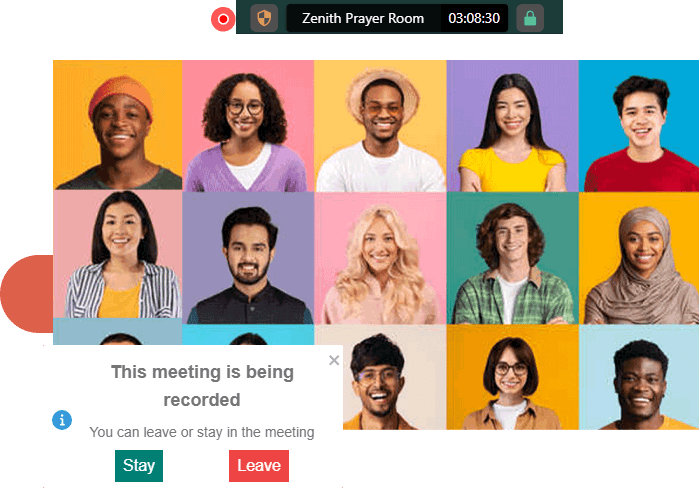
Learning does not always happen with everyone in the same room, and meaningful collaboration should not stop when a virtual class ends. Educators can host interactive virtual classes, tutorials, academic discussions, staff meetings and large learning sessions. Trivoh meetings support up to 1,000 participants depending on plan, from smaller tutorials to larger lectures, school assemblies, webinars, staff briefings and institution-wide virtual events.
 03
03Interactive whiteboard
Great teaching is rarely just about talking. A teacher sketches a diagram, a lecturer maps out a difficult concept, students brainstorm together and a team plans a project visually. Trivoh's interactive whiteboard gives educators, learners and teams a shared space to think visually and collaborate. It isn't limited to a live meeting: the whiteboard can be used during a meeting or independently outside one, so collaboration can continue before, during and after a virtual session.
 04
04Parent and guardian communication
Imagine the school day has started and several pupils have been marked absent. Traditionally, someone in the school office might work through telephone numbers, contacting parents or guardians one by one. With Trivoh Callers Hub, education organisations can build calling workflows for parent and guardian communication, including automated outbound calls and AI-powered voice interactions. When connected with compatible education or school management software through Trivoh's integration capabilities, communication can become part of a wider workflow rather than another manual task.
Attendance and education system integration
Schools already hold valuable information across attendance systems, databases and other education software, but information alone doesn't solve the problem; the question is what happens when it requires action. Trivoh provides API capabilities that can connect its communication and collaboration capabilities with other applications and workflows. An institution could design a workflow where an attendance status recorded in its existing system initiates the appropriate communication process, instead of a staff member checking the record, finding contact details and making each call. Integration requirements vary between institutions and education software providers, and compatibility depends on the APIs and capabilities available within the third-party system.
Attendance recorded
Workflow triggered
Appropriate communication initiated
Less repetitive administrative work
 06
06Callers Hub for education
School communication extends far beyond the classroom: admissions teams answer enquiries, administrative staff communicate with parents, universities manage prospective student conversations and student services respond to questions. Trivoh Callers Hub provides AI-powered voice and contact-centre capabilities for inbound and outbound communication. The goal isn't to remove people from education communication; it's to reduce repetitive work so people have more time for the conversations where human judgement, empathy and support matter most.
 07
07Meetings to action
Schools don't simply need more meetings; they need the decisions made during those meetings to go somewhere. Trivoh connects meetings with a wider workspace where teams can coordinate tasks, projects, documents, calendars and follow-up work. AI meeting assistance can help turn conversations into summaries, decisions and actionable tasks, helping staff maintain momentum after meetings.
 08
08Distributed education
Education isn't confined to one classroom, one building or even one country. Students, teachers and education teams can be spread across campuses, communities and regions, without access to identical devices or network conditions. Trivoh is designed for distributed teams and includes low-bandwidth optimisation, helping organisations communicate across different working and learning environments while keeping teaching and operational work connected.
 09
09Control and governance
Education organisations handle information that requires careful governance. Trivoh provides role-based permissions, approval workflows and audit trails to help control access and maintain visibility. Enterprise organisations can also explore self-hosting Trivoh on their own infrastructure, another option for institutions needing greater control over their technology environment and data. Specific data protection, safeguarding, regulatory and compliance requirements should always be assessed against the institution's policies, configuration, deployment and applicable legislation.
 10
10A connected school day
It's 8:30 in the morning and a teacher begins the day with a virtual tutorial. Elsewhere attendance is recorded, and where the appropriate integrations and workflows have been configured, an attendance status can help initiate the school's chosen parent or guardian communication process. Later the leadership team meets and actions move into the workspace with owners. An administrator manages communication through Callers Hub, a teacher prepares an idea on the whiteboard without starting a meeting, an admissions team follows up with prospective students and hundreds of learners join a large virtual academic session. The communication and the work no longer need to live in completely separate worlds.
Organisations Trivoh can support
Start with the capabilities your institution needs today, such as meetings, interactive collaboration, calling or workflow management, and explore how a connected platform can support you as your requirements grow.
 12
12Why Trivoh for education?
Virtual meetings are only one part of how an education organisation communicates. The classroom needs teaching tools, teachers need collaboration, the school office needs efficient communication, parents and guardians need timely information, leadership needs visibility, IT teams need integration options and conversations need to turn into action.
Ready to explore Trivoh for education?
Behind every lesson is a conversation, and behind every successful school day are hundreds of decisions, reminders, meetings, ideas and follow-ups that most people never see. Trivoh helps connect those moments: bring virtual meetings, interactive whiteboards, staff collaboration, workflows and school communication closer together, and give your people more time to focus on helping people learn, grow and succeed.
Von der Möglichkeit zur Praxis
Jeder Ablauf verbindet Gespräch, Kundenkontext und die nächste Aktion.
Run virtual lessons, tutorials and meetings, explain concepts on an interactive whiteboard and stay connected with colleagues and the wider institution.
Ergebnis: Learning continues beyond the room
Coordinate communication, tasks, meetings and operational workflows, and use calling and workflow capabilities to reduce repetitive administrative communication.
Ergebnis: Less repetitive administration
Improve visibility across projects, responsibilities and organisational activity, using permissions and governance controls to manage appropriate access.
Ergebnis: Clearer institutional follow-through
Use Trivoh's API capabilities to explore connections with existing applications, and explore deployment and data-control options for greater infrastructure requirements.
Ergebnis: A platform that fits the environment
Communicate with prospective students, manage enquiries and create follow-up workflows using meetings, calling and connected collaboration tools.
Ergebnis: More coordinated admissions follow-up
Create more coordinated communication processes for supporting students, responding to enquiries and managing routine outreach.
Ergebnis: More coordinated student support
Connect academic departments, lecturers, administrators, researchers and distributed campuses, with meeting plans supporting up to 1,000 participants for larger lectures, seminars and events.
Ergebnis: Connected multi-campus learning
1,000
meeting participants
Support smaller tutorials through to larger lectures and virtual events, depending on plan.
2
whiteboard modes
Collaborate visually inside a meeting or independently outside one.
1
connected platform
Bring teaching, communication, workflows and follow-up closer together.
Für den realen Betrieb entwickelt
Eine flexible Plattform für Kommunikation, Kundenkontext, Workflows und verantwortungsvolle KI.
Host virtual classes, tutorials, staff meetings and institution-wide sessions. Meeting capacity varies by plan and supports up to 1,000 participants.
Use an interactive whiteboard to teach and collaborate visually, inside a Trivoh meeting or independently outside one.
Build inbound and outbound calling workflows for parents, guardians, admissions and student services, with AI-powered voice capabilities and human judgement where it matters.
AI meeting assistance can help turn conversations into summaries, decisions and actionable follow-up, with staff staying in control.
Coordinate tasks, projects, documents, calendars and team activity in one connected workspace.
Vertrauen in der Praxis
Erfahren Sie, wie Organisationen mit Trivoh ihre Arbeit klar, vernetzt und in Bewegung halten.
“Unifying everything into we need to communicate, manage, and track our project has been amazing. Transfer meetings actions into project to chat from one central location is a huge upside for us. ”

Adam Joseph
Business Development Manager · Thrive Tech
“Trivoh has been a great tool for connecting with my remote teams. Whether we are connecting across Middle East, Asia, or America, it has been very seamless to use. ”

Linda Ess
CEO · MYPOP AI
“We use Trivoh for regular online service. We switched to Trivoh because it is more seamless than the others and has some cool features that are useful for managing our meetings. ”

Kola
Branch Leader · MFM COG
Bildungs-FAQ
Praktische Informationen für Schulen, Hochschulen, Universitäten und Bildungsanbieter.
Trivoh is a communication, collaboration and operational platform that education organisations can use for virtual meetings, interactive whiteboarding, team collaboration, task and project coordination, calling and workflow automation. Schools, colleges, universities and other education providers can use these capabilities to help connect educators, administrators, students and families.
Yes. Trivoh includes virtual meeting capabilities that can support online lessons, tutorials, academic discussions, staff meetings and other remote or hybrid education scenarios. Meeting capacity varies by plan, with support for up to 1,000 participants.
Yes. Trivoh provides an interactive whiteboard for visual teaching and collaboration. The whiteboard can be used inside a Trivoh meeting or independently outside a meeting, allowing educators and teams to collaborate visually without needing to start a live meeting.
Yes. Depending on the selected plan, Trivoh meetings can support up to 1,000 participants, making the platform suitable for use cases ranging from smaller classes and tutorials to larger lectures, briefings and virtual education events.
Yes. Trivoh Callers Hub provides inbound and outbound calling capabilities, including AI-powered voice and contact-centre functionality. Schools can use these capabilities to build communication workflows for parents and guardians, including reminders, notifications and routine outreach.
Trivoh Callers Hub supports automated outbound calling and AI-powered voice workflows. Schools can use these capabilities to design appropriate parent and guardian communication processes. Where Trivoh is connected with compatible third-party school systems, automated communication can also form part of a wider workflow.
Trivoh provides API capabilities for integrating its communication and collaboration tools with other applications. The exact integration available will depend on the education software, its APIs and the institution's requirements.
Trivoh's API and workflow capabilities can form part of an integration with compatible third-party systems. For example, a school could explore a workflow where attendance information initiates an appropriate communication process. The implementation will depend on the school's attendance software, available APIs and integration requirements.
Yes. Universities and colleges can use Trivoh for virtual meetings, larger academic sessions, interactive whiteboarding, staff collaboration, project coordination, calling and connected workflows across academic and administrative teams.
Trivoh offers a self-hosting option for organisations that want to deploy the platform on their own infrastructure and require greater control over their technology and data environment.
Ideen und Einblicke
Education

Event

Business Operations
Wenn Sie bereit sind
Starten Sie mit den Werkzeugen, die Ihr Team heute braucht, und wachsen Sie zu einer vernetzten Arbeitsweise.
Trivoh auf einen Blick
Trivoh verbindet die alltäglichen Tools, die Teams zur Arbeitsplanung, Kommunikation mit Kunden, Zusammenarbeit und Lieferung verwenden. Beginnen Sie mit einem Produkt oder kombinieren Sie sie, wenn Ihr Unternehmen wächst.
Entdecken Sie Trivoh für UnternehmenProjektmanagement, Aufgaben, Dokumente, Besprechungen, Team-Chat und Kalender an einem verbundenen Ort.
Erfahren Sie mehrKundendatensätze, Vertriebspipelines, Kommunikation und nächste Schritte für beziehungsorientierte Teams.
Erfahren Sie mehrGeschäftsanrufe, Kundengespräche und KI-gestützte Kommunikation mit gemeinsamem Kontext.
Erfahren Sie mehrProfessionelle E-Mail auf Ihrer Domain, mit Teampostfächern, Organisationskontrollen und Sicherheitstools.
Erfahren Sie mehrKI-Unterstützung beim Entwerfen, Zusammenfassen, Organisieren und Vorantreiben genehmigter Arbeiten.
Erfahren Sie mehr